Cloud Hub Pro Microsoft 365 Updates, Simplified
Stay informed and prepared. Get critical Microsoft 365 updates, Message Center announcements, Service Health alerts, and upcoming changes directly in Microsoft Teams.
Simplify Microsoft 365 Administration
Know what's urgent, what matters, and what to share with your team
Message Center Updates
Get all critical announcements from your Microsoft 365 Message Center in one place
Service News
Stay on top of service news and advisories affecting your organization
Upcoming Changes
Be prepared for upcoming Microsoft 365 feature rollouts and changes
Team Collaboration
Share important updates with your team directly within Microsoft Teams
Smart Filtering
Filter and prioritize updates based on urgency and relevance to your organization
Simplicity
Manage news and updates in one central location
See Cloud Hub Pro in Action
Experience seamless Microsoft 365 update management in Teams
Overview
See the main features for your Microsoft 365 tenant´s messages in the following solution.
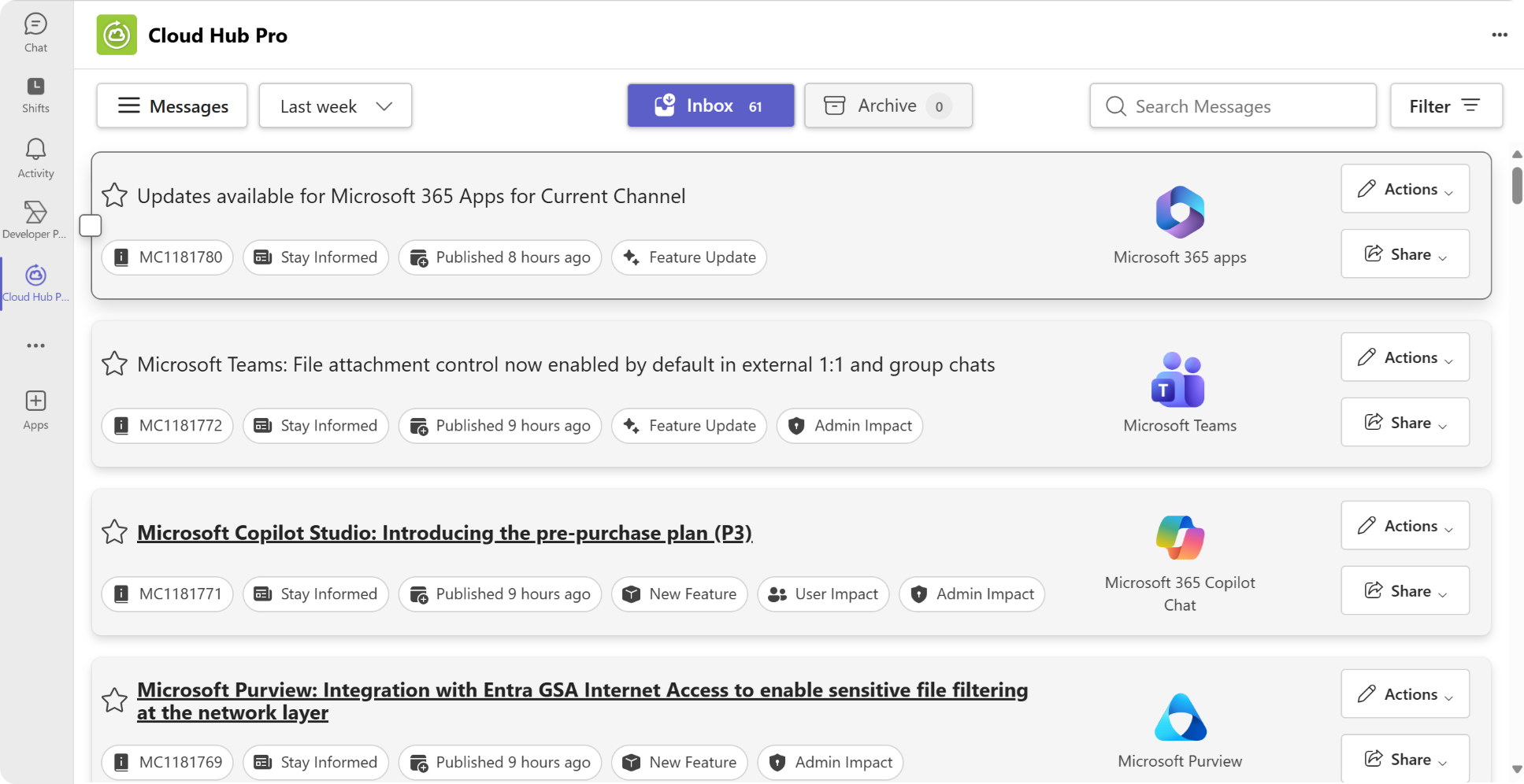
Dashboard Overview
All your updates in one central location
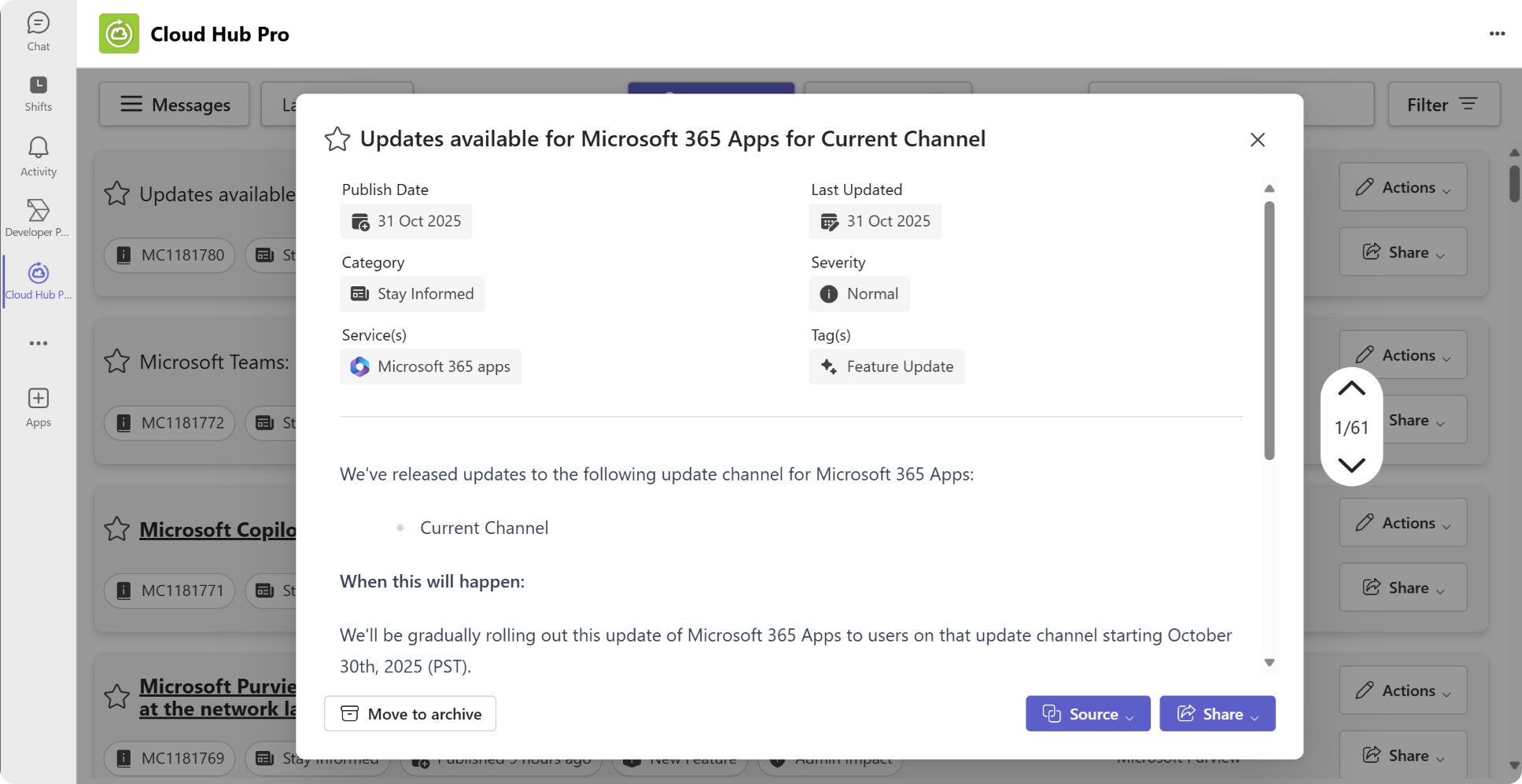
Change Management
Track upcoming Microsoft 365 changes and stay informed about announcements and cancellations.
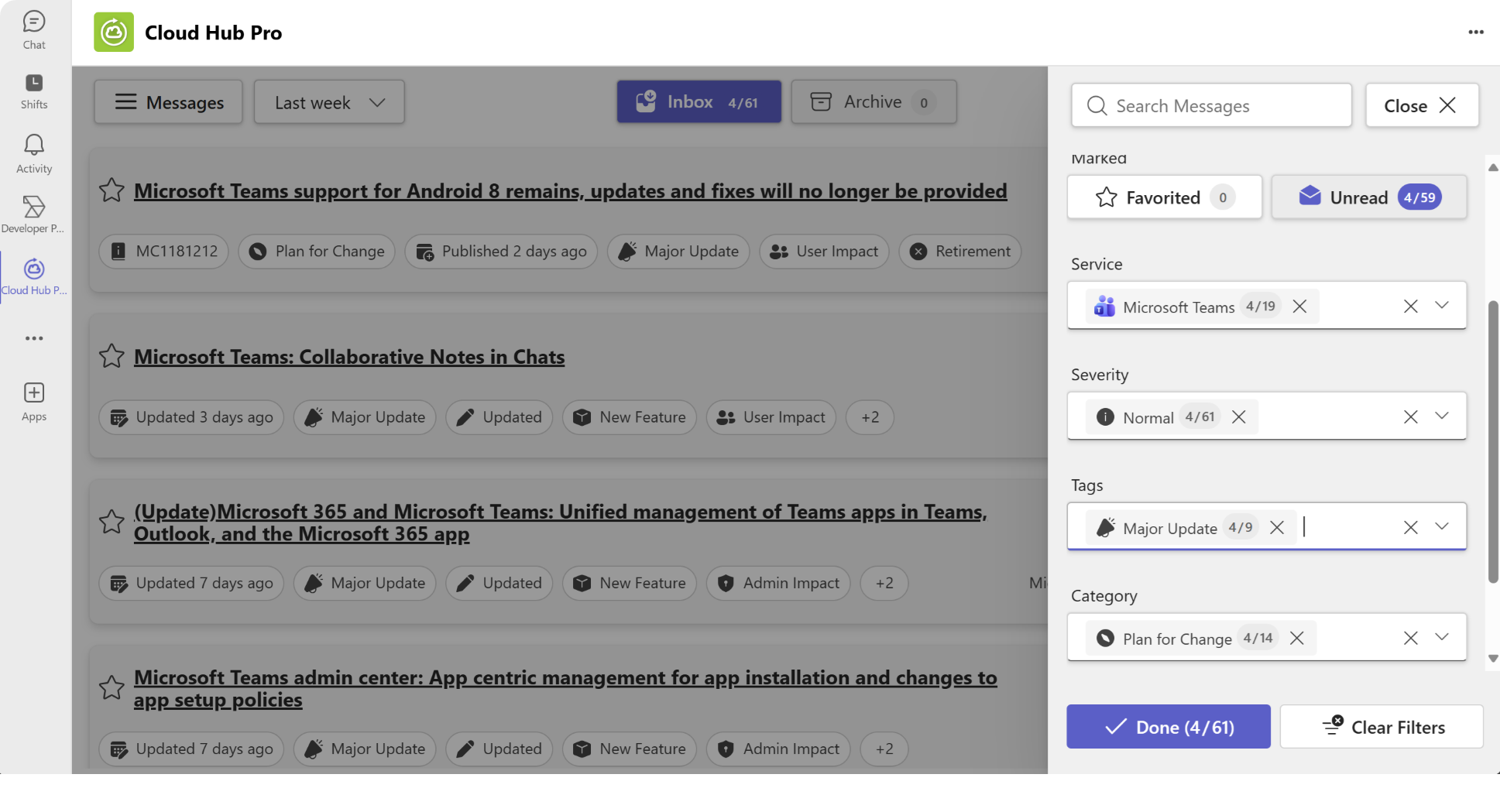
Filter messages
Find relevant messages instantly with multiple filters
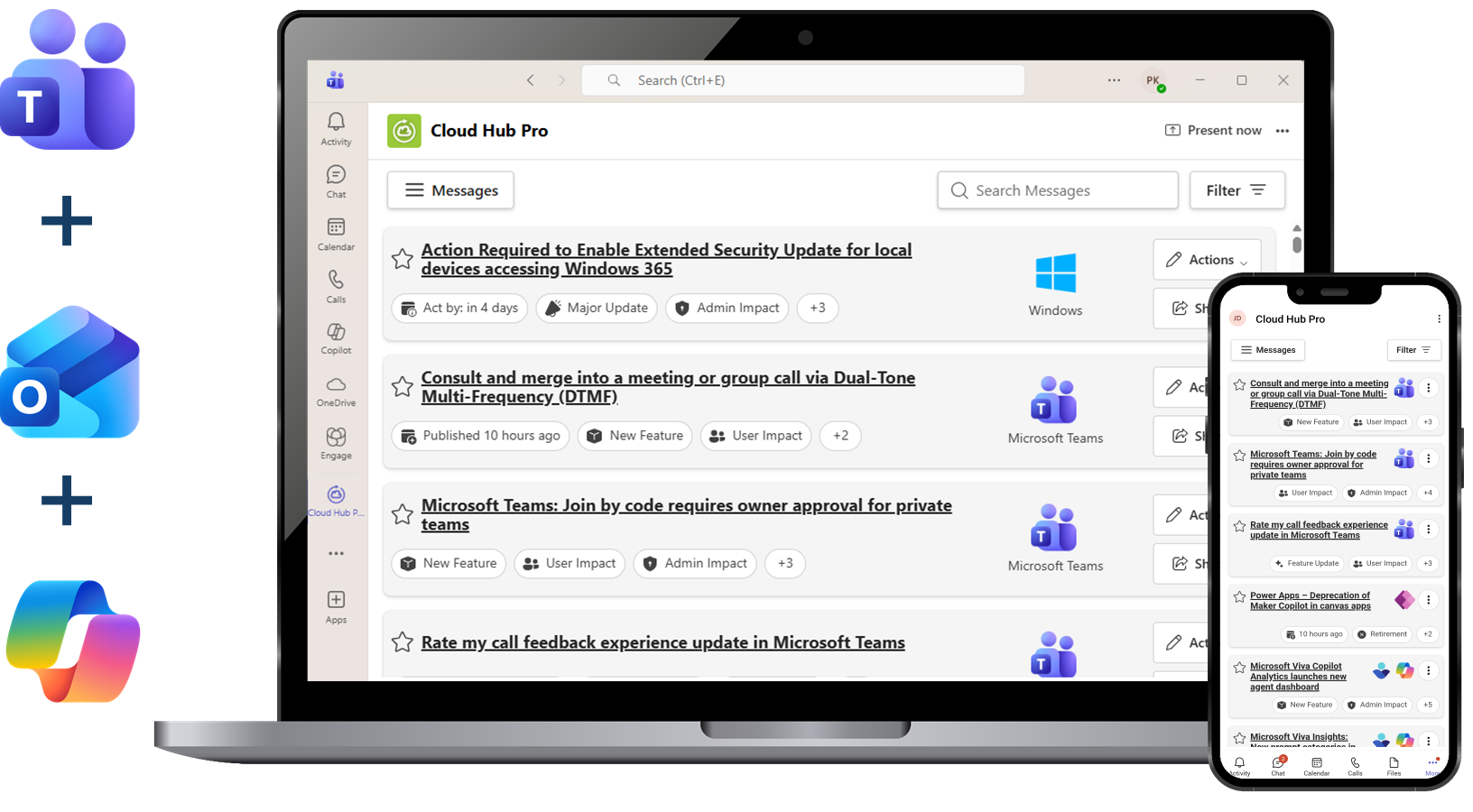
Platforms supported
Use the app on your desktop and mobile
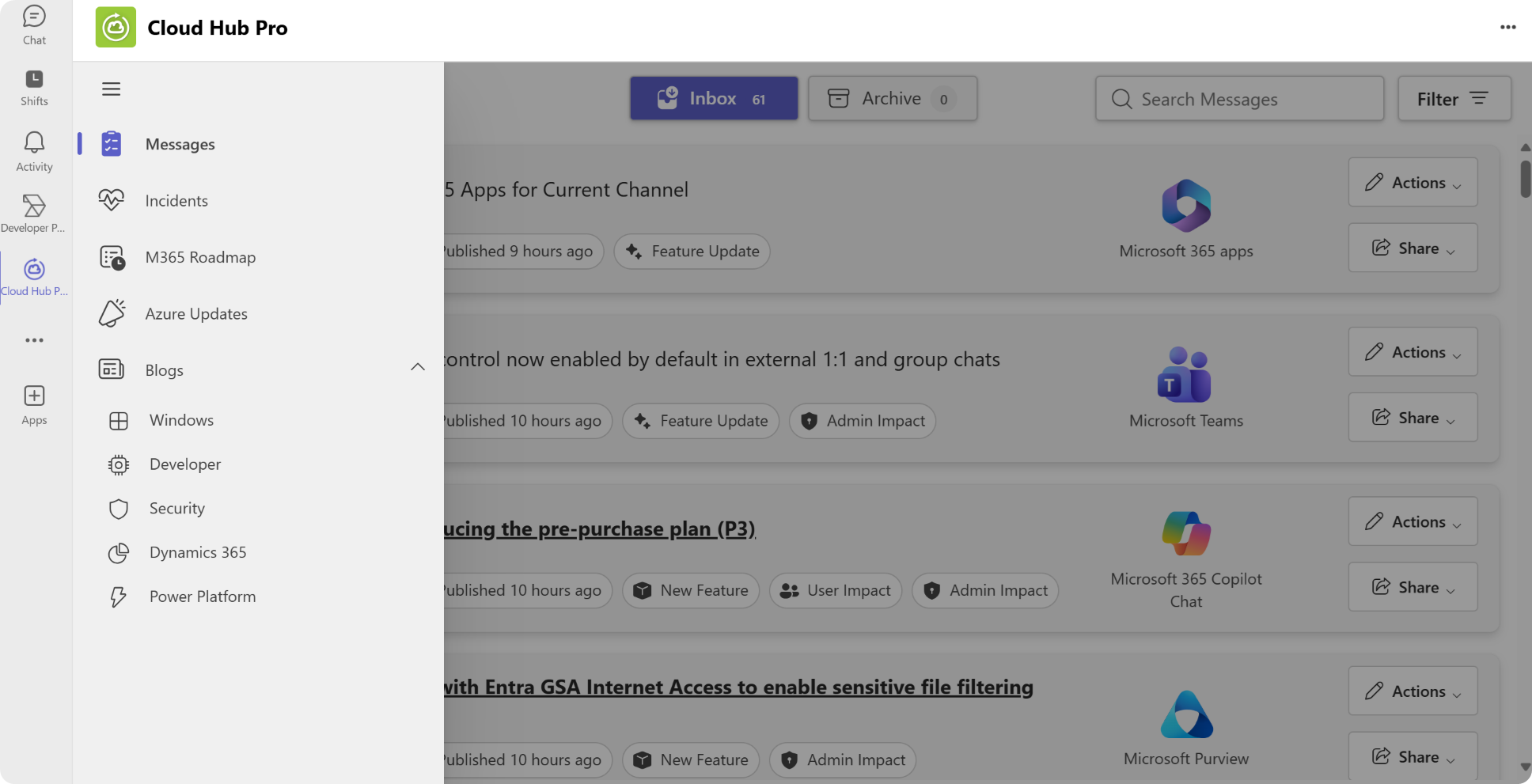
News sources
Expanded coverage to include blogs and other news sources.
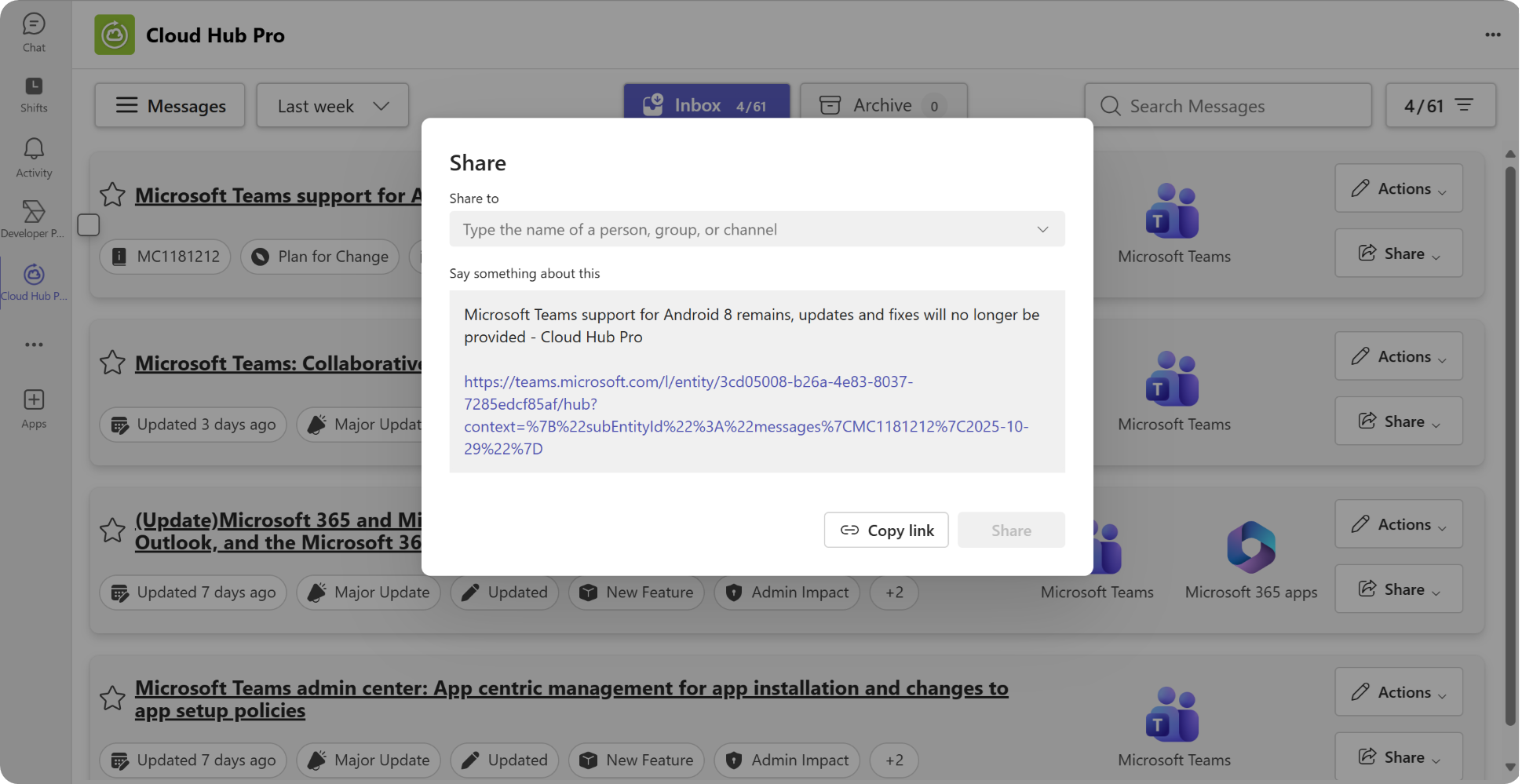
Share important messages
Manage and inform your colleagues about critical updates
Get Started in Minutes
Follow our step-by-step setup guide to deploy Cloud Hub Pro for your organization
Pricing
Simple and transparent pricing for teams of all sizes
Pricing for Cloud Hub Pro is defined in the Microsoft Teams App marketplace on a per-user basis. View our offers to see current pricing options and select the plan that best fits your organization's needs.
View Pricing in MarketplaceBenefits for IT Professionals
Trusted by IT Admins Across Industries
"Before Cloud Hub Pro, we juggled multiple portals and still missed important Microsoft alerts. Now everything is delivered in one feed inside Teams, and we have complete visibility into changes. It’s extremely easy to use – the interface is intuitive – and being able to catch updates early has been a game-changer in preventing issues."
"Cloud Hub Pro’s seamless Teams integration gives IT administrators one central hub for all Microsoft 365 updates. We built it to make staying up-to-date effortless, and it’s rewarding to see how it ensures our customers never miss a critical change. In today’s ever-evolving cloud, that proactive visibility means fewer surprises and smoother operations."
"Cloud Hub Pro lets us stay ahead of Microsoft’s constant updates instead of playing catch-up. Since all the relevant news and service updates pop up right in Teams, we address changes proactively. Our support tickets have dropped, because nothing blindsides us now. In short, it helps us avoid firefighting and saves a ton of time."
Support
We are always here for you. The best way to contact us is by e-mail.
Documentation
See our videos and the onboarding here and our products in our atwork blog.
Community
Join our active user community, e.g. on LinkedIn.
Ready to Simplify Your Microsoft 365 Updates?
Join the community of IT professionals using Cloud Hub Pro
Get Started Today