Admin Portal
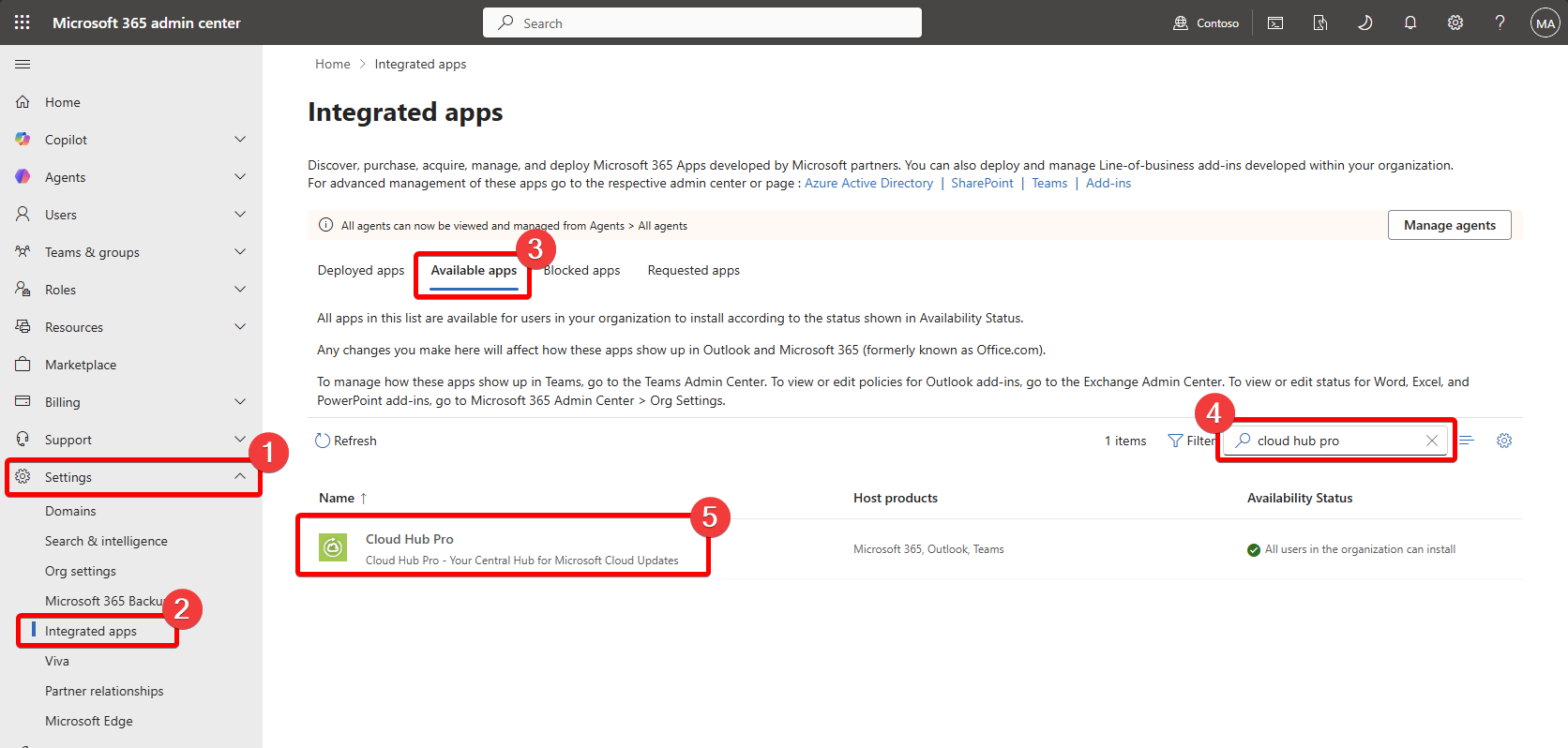
If you want to buy the application through the Microsoft Admin portal (https://admin.microsoft.com) you can find the application under the Settings | Integrated Apps and Available apps through the search.
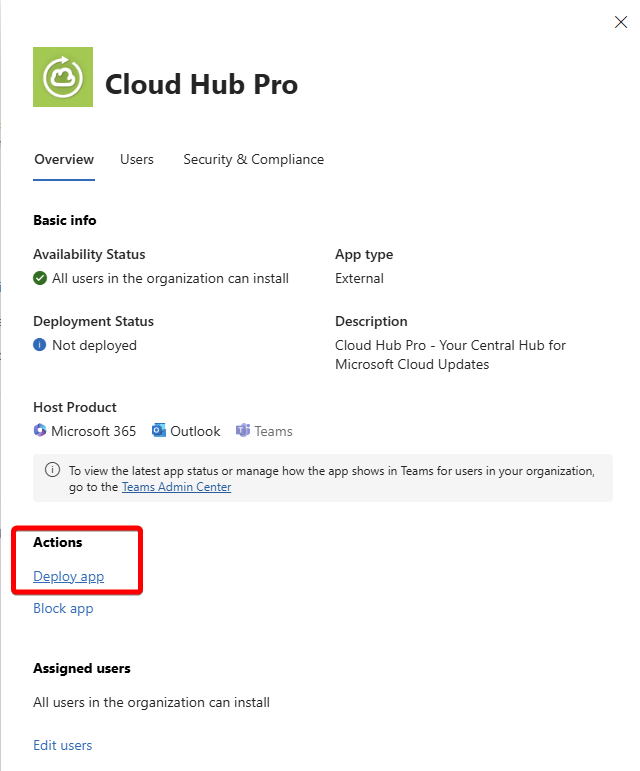
In the flyout you can select to deploy the application.
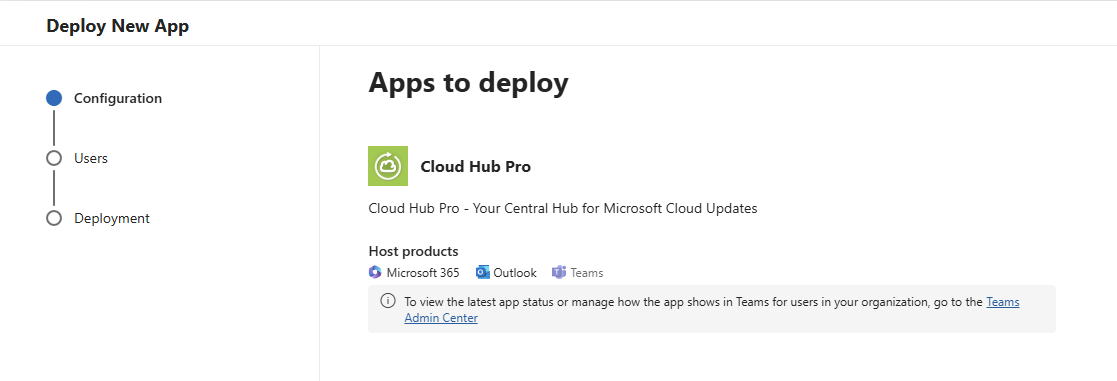
In the appearing overview, just click next on the bottom of the page.
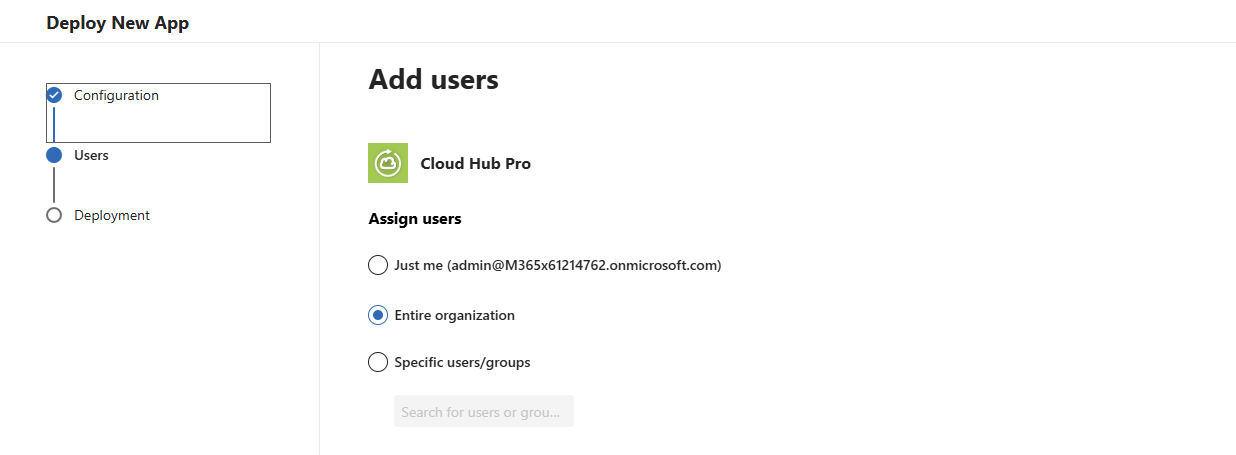
You can now select the target audience of the application. Depending on the number of users you can select just yourself (the admin logged into the admin portal) the entire organization or a list of users / groups to select.
The next step requires the admin to consent to the required permissions of the Cloud Hub Pro.
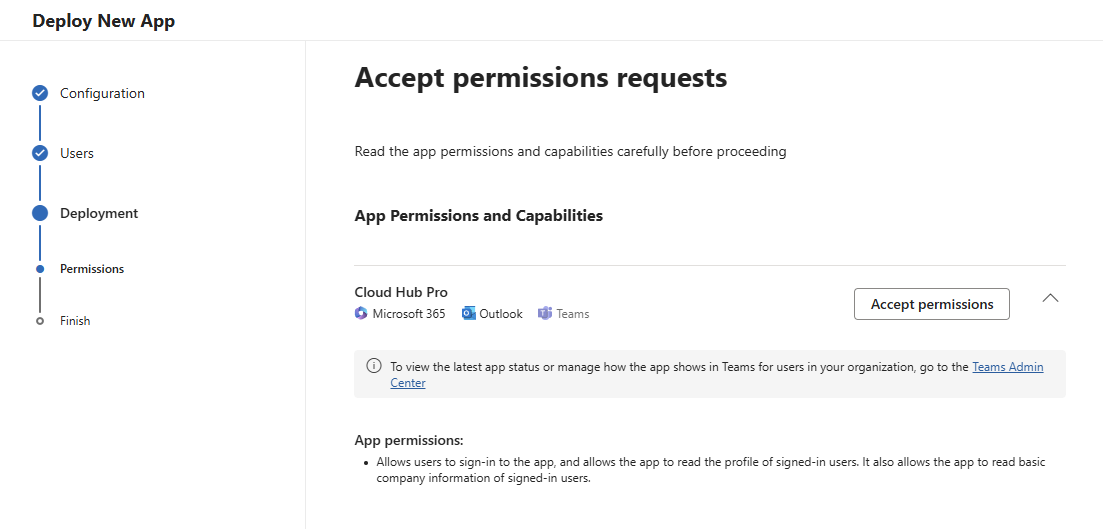
The required permissions are shown in the next step in a dedicated browser window.
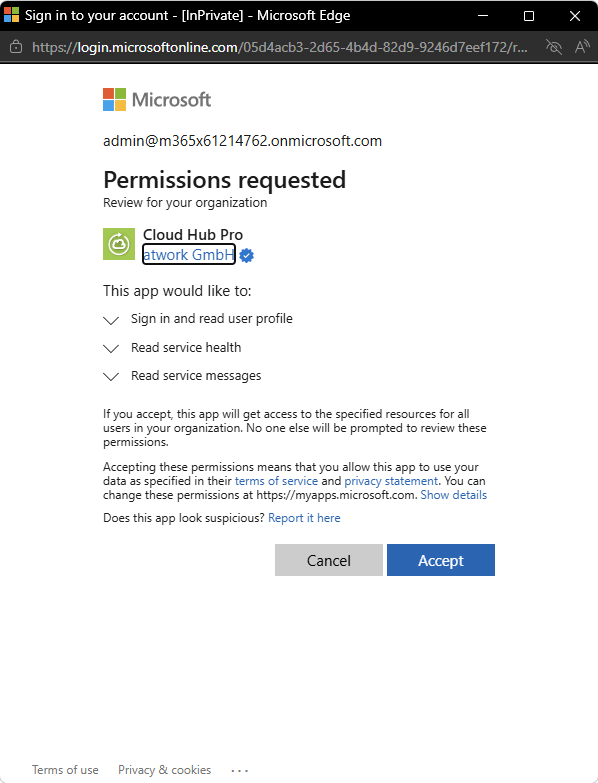
IMPORTANT: After finishing the process the application is available to the selected user audience. Please make sure that you have a required subscription for the product as this process is not designed to allow you buying the actual subscription. This has to be done separat.